Before you start
- ✓ Download and install oziTarget Map on your Windows PC.
- ✓ You need a working internet connection for the first sign-in or registration. After that, Standard mode works offline.
- ✓ No credit card is required to start the 14-day full trial — every Standard and ProPack feature is unlocked during the trial.
1. Launch the app
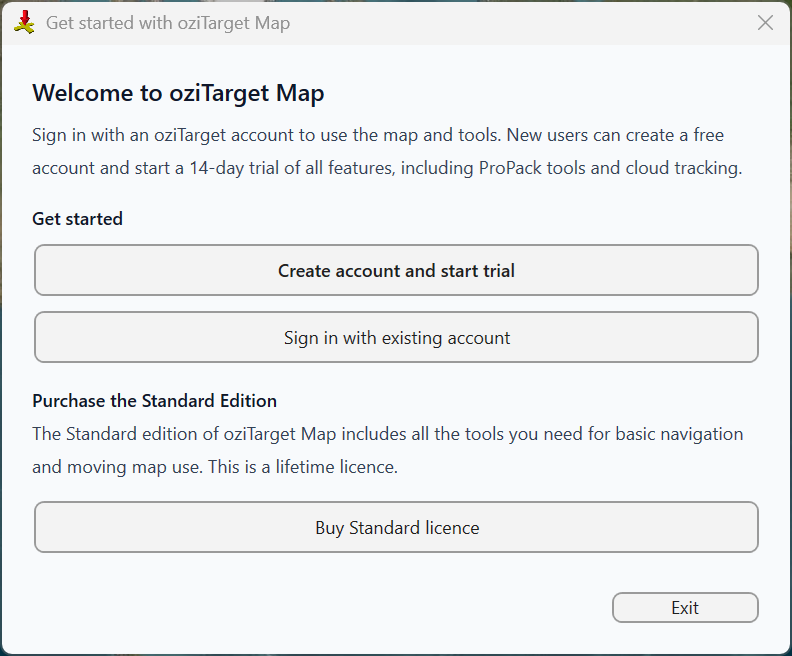
Open oziTarget Map from the Start menu or desktop shortcut. On first launch, the Get started with oziTarget Map dialog appears. It explains that you need an oziTarget account to use the map and tools, and offers three paths:
- ✓ Create account and start trial — register and begin your 14-day trial of all features, including ProPack tools and Live Tracking.
- ✓ Sign in with existing account — if you already have an oziTarget account on this or another PC.
- ✓ Buy Standard licence — purchase the lifetime Standard edition from inside the app.
2. Create a new account
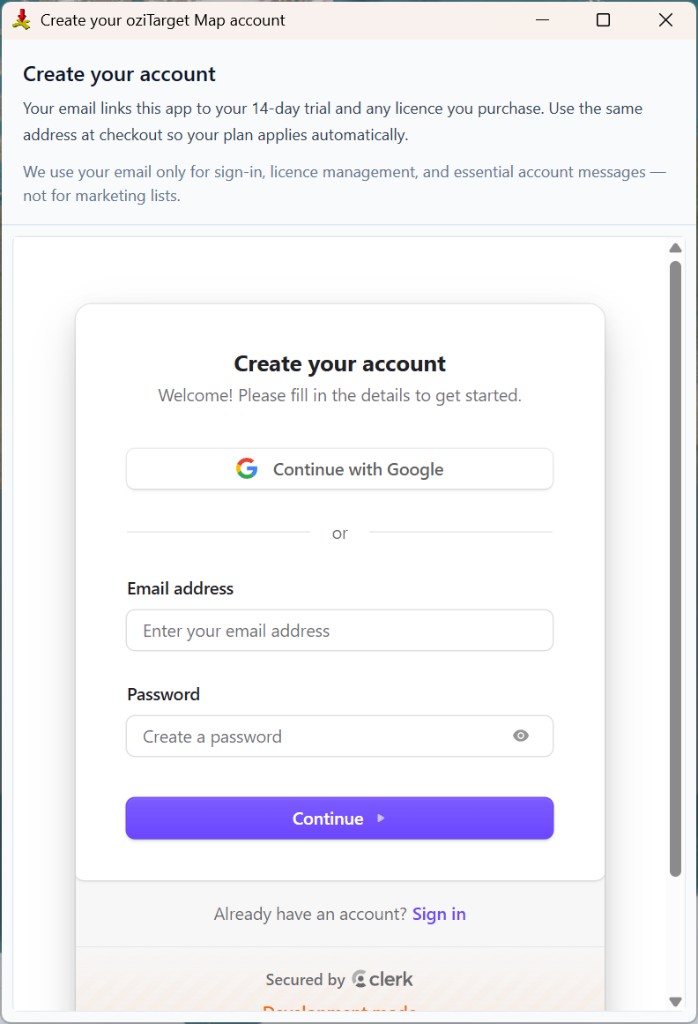
Click Create account and start trial on the welcome dialog. The Create your oziTarget Map account screen opens.
Your email links this app to your 14-day trial and any licence you purchase — use the same address at checkout so your plan applies automatically. Enter your email and password and click Continue, or use Continue with Google. You will receive a verification code by email (step 3).
Your email is used only for sign-in, licence management, and essential account messages — not for marketing lists.
3. Verify your email
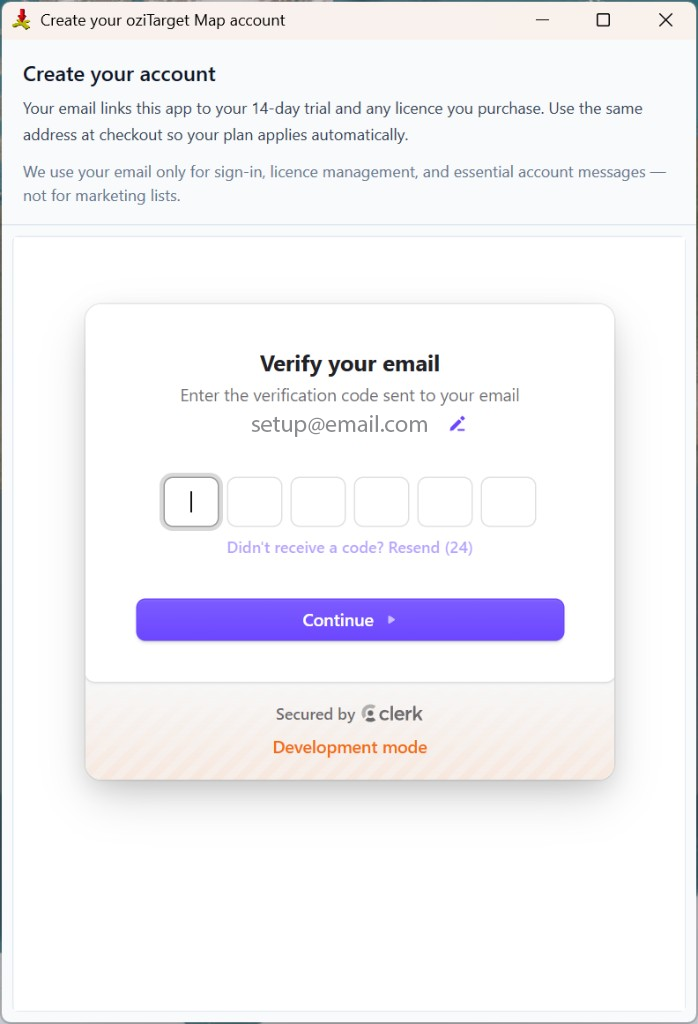
After you click Continue, a verification code is sent to the email address you entered. The Verify your email screen appears — enter the six-digit code from the message and click Continue. You will then be asked to allow access (step 4).
Check your spam folder if it does not arrive within a minute or two. Use Resend if you need a new code. You can click the pencil icon next to your email if you typed the wrong address.
4. Allow access
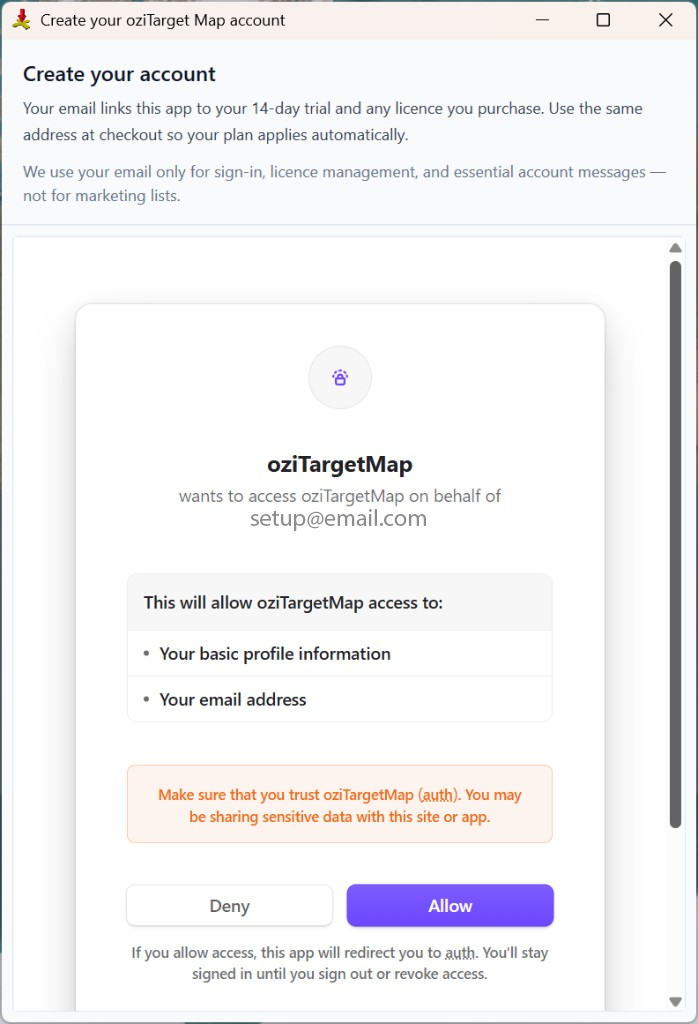
After your email is verified, oziTarget Map asks you to allow access so the app can link your account to this PC. The prompt shows your email and the permissions requested — your basic profile and email address.
Click Allow to finish sign-up and sign in. The oziTarget Map trial screen appears next (step 5). Click Deny only if you want to cancel.
5. Done — your trial is active
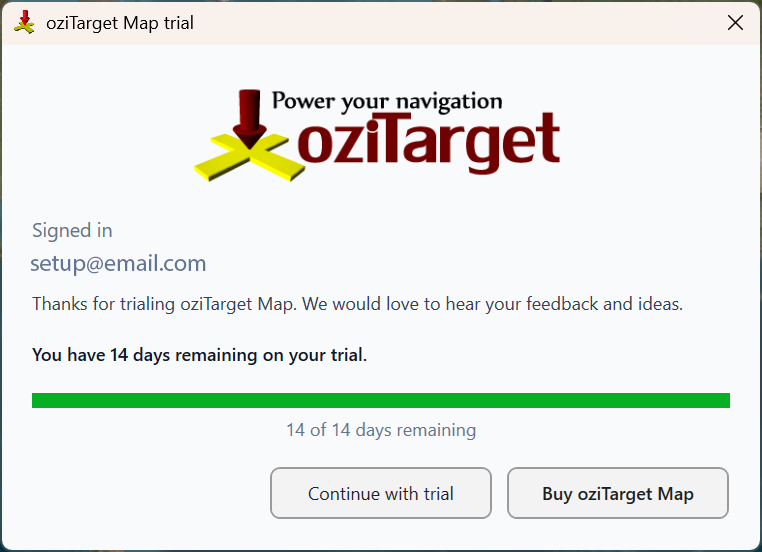
You're signed in and your 14-day full trial is ready. The oziTarget Map trial window confirms your email, shows how many days remain, and offers two choices:
- ✓ Continue with trial — open the app and start using every Standard and ProPack feature. No payment details needed.
- ✓ Buy oziTarget Map — purchase a lifetime Standard licence from inside the app.
The app caches your plan on this PC so maps and Standard features keep working offline. When the trial ends, the app reverts to whatever plan your account holds.
Returning users — sign in
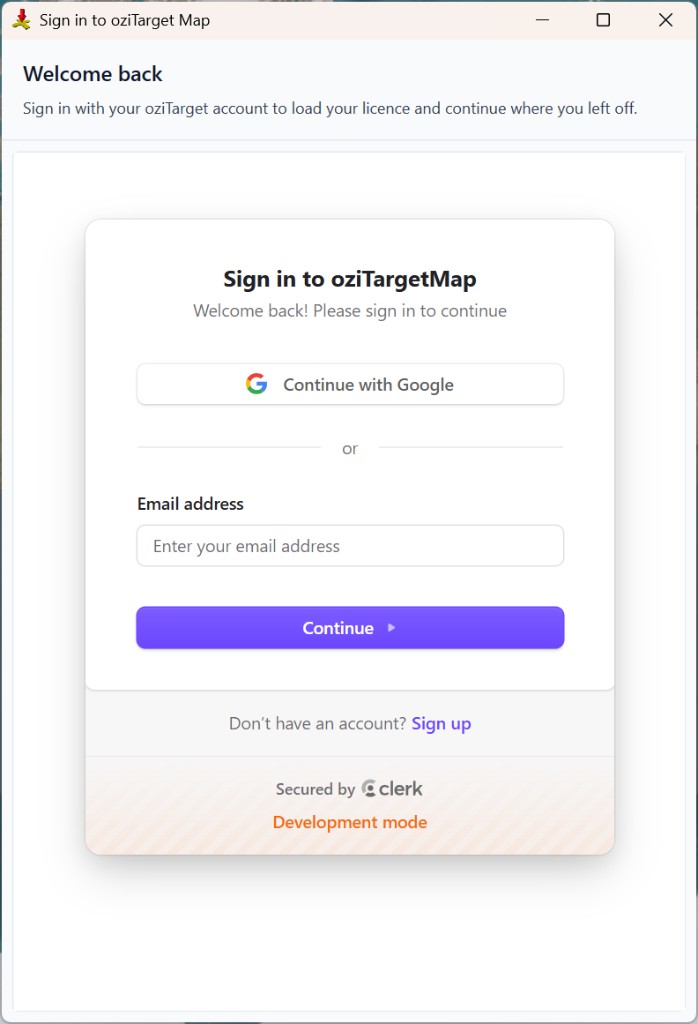
Already have an account? Click Sign in with existing account on the welcome dialog, or Sign in at the bottom of the sign-up window. You can also open Help → Sign in / Register at any time — skip steps 2–5 above.
Enter your email and click Continue, or use Continue with Google. You'll stay signed in on this PC until you sign out or revoke access.